Literature matrix system
From a pile of PDFs to a literature matrix you can defend.
LitMatrix reads every journal article you have and extracts the research objective, theoretical framework, methodology and findings into cells — each one carrying an evidence quote and a page number. AI drafts; you verify.
Built for postgraduate students, researchers and supervisors
| Article | Research objective | Theoretical framework | Methodology | Research gap |
|---|---|---|---|---|
| Zainal & Lim (2021) |
||||
| Nurul et al. (2020) |
||||
| Tan (2019) |
Watch
See the literature matrix in motion.
A short walkthrough — from a pile of PDFs to a matrix you can defend.
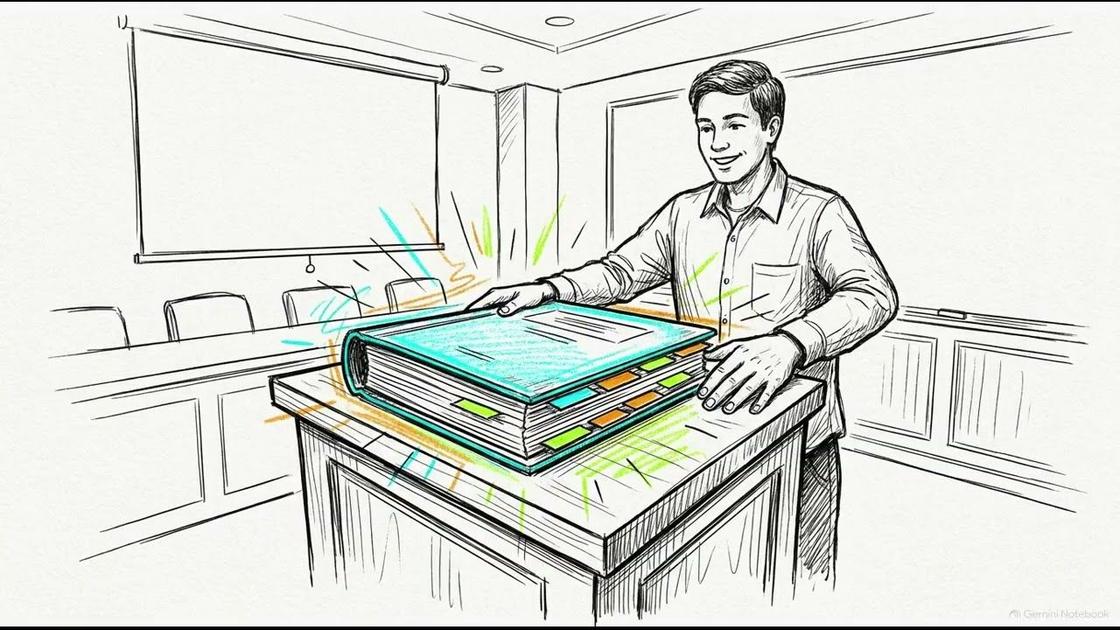
The problem
A literature review rarely fails from too little reading. It fails from scattered notes.
You've read it all. The hard part is arranging it into something that answers your research questions — and holds up when your supervisor pushes back.
- 01
40 articles, 40 Word files. Nobody remembers what Zainal (2021) said about sample size without reopening the PDF.
- 02
The matrix table in Excel falls apart after the 15th article — columns multiply, cells half-filled, no page references.
- 03
When your supervisor asks “so where's the research gap?”, you comb the whole pile for a sentence you're sure you read.
- 04
Every claim in your chapter 2 draft needs a source. Tracing it back a week later takes hours.
How it works
Four steps, one workflow.
Each step produces something you can check — not a black box that emits finished paragraphs.
Bring in the articles
Upload PDFs one at a time, drop in a ZIP, import .bib / .ris files from Zotero or Mendeley, or connect your Zotero account directly and pull a collection straight in. DOIs auto-complete via Crossref — arXiv preprints too — and duplicates are caught on DOI and title. Each page's text is extracted and tagged by section — abstract, introduction, method, results.
AI extracts, with evidence
For each matrix field, the model reads the relevant passages and fills the cell — objective, framework, methodology, sample, findings, limitations, gap. Every value carries a direct quote and page number, or comes back as “not found”. No sourceless guessing.
You verify
No cell counts as verified until you press Verify. Edit, reject, or open a comment thread on any cell to discuss it with your supervisor. Every text and status change is recorded in a full audit log with author and time.
Synthesise across the matrix
Once the matrix is filled enough, ask for suggested themes and research gaps across all articles, or build a conceptual framework — independent, dependent, mediator and moderator variables with a diagram. All generated from your matrix data, and you add each suggestion one by one.
Academic integrity
AI doesn't write your literature review. It drafts what you check.
Every AI-filled cell stays at status AI draft until you verify it yourself. The evidence quote and page number are stored with every value, so you — and your supervisor — can always trace where a claim came from.
Draft, not answer
AI cells can't enter a “verified” export until a human presses Verify.
Evidence on every cell
A direct quote + page is stored with each value. No source, no cell.
Honest exports
Every export carries a “DRAFT” watermark and shows your verification ratio.
Argues with itself
When AI proposes a theme, it also searches the same matrix for findings that contradict it — before you ever present it as settled.
Features
A matrix that bends to how you work.
13Custom matrix fields
Thirteen default fields across four categories — citation, content, method, synthesis. Add your own fields, reorder, or hide them per project.
RO↔RQObjective–question alignment
Check whether each research objective matches its question. A live hint as you type. Advisory only — it never blocks a save.
@Per-cell discussion
Open a comment thread on any cell. The whole cell resolves as one thread. A marker on the grid shows cells with an open discussion.
logFull audit log
Every text edit and every status change is recorded — old value, new value, who, when. One write path; no silent changes.
3Project roles
Owner, editor, reader. Invite a supervisor as a reader to monitor, or teammates as editors to fill the matrix together.
$AI budget control
Set a monthly spend cap per project. Every model call's cost is recorded and shown on the project Overview. Zero means no limit.
×3One-click matrix presets
Add the PICO fields, the five Cochrane RoB2 risk-of-bias domains, or a five-dimension Quality Appraisal set (design, sampling, data collection, analysis, reporting) — one click, plain columns, not a new cell type.
2,500Full citation-style library
Beyond the five built-in styles, format references in any of roughly 2,500 official CSL citation styles — the same open standard citation managers use.
↻Import matrix values back in
Already have a matrix in a spreadsheet? Import it — articles matched by DOI or title, columns matched by field label. A cell already verified or edited is never overwritten.
●Notifications & activity feed
A bell icon and a per-project activity feed — who verified a cell, who commented, who ran extraction, who imported articles — so nothing gets missed even without email.
est.Journal-impact estimate
A rough tier — high, above average, below average, low — computed from OpenAlex citation data across the journals you've actually fetched. Always labelled “(est.)”, never presented as a real SJR/Scopus quartile.
bibBibliometrics on the Overview
Publications by year, by study type, and by citation-count bucket — plain bars computed from your own article list, no chart library, no invented score.
Around the matrix
Tools that read what you've built.
Themes & research gaps
From the objective, framework, methodology, sample, findings and limitation cells across at least three articles, the system suggests recurring themes and research gaps — with your project's RO/RQ pairs as context. You edit and add each one; it becomes a normal theme or gap.
Conceptual framework & hypotheses
Drafts the whole framework from the matrix — independent, dependent, mediator, moderator and control variables, plus the hypotheses between them. Check the boxes you want, and it renders as a graph LR diagram (moderator = dashed edge).
Citation coverage
Pulls each DOI-bearing article's reference list and incoming citations from OpenAlex, then shows works cited by several of your project's articles but not yet in the matrix — as a grouped list or a d3 force graph, with a year-vs-citations Timeline view alongside it. A coverage card on the Overview counts what you're missing; seed search turns a single DOI or title into a list of related papers before you've added anything, and free-text topic search across OpenAlex, PubMed and arXiv works even on a brand-new project with nothing in it yet. Turn on Monitor to get emailed when a new paper cites your project, or share a read-only link of the graph with your supervisor. No API key, no pgvector.
Related authors, followed transparently
See which authors recur across your own matrix and citation graph, and follow one to get notified when they publish something new that cites your work — every name links to its real profile, never a black-box recommendation.
A yes/no tally you can reproduce
Ask a yes/no question and get a tally built only from the Key Findings cells you've verified or edited — never a random sample of the open web. Ask again next month; the count only changes when your matrix does.
One question, answered per article — nothing saved
Ask an ad-hoc question and get a one-row answer for every article, without creating a permanent matrix field. An article never gets an answer unless a real retrieved passage backed it.
No title yet? Start by talking.
The new-project screen has an assistant that helps you sharpen the topic, objectives and research questions before you create the project. When you're ready, it fills the form — title, topic, description, and the RO/RQ rows. The conversation never leaves your browser — it isn't stored.
A question, answered from your PDFs
Ask anything across every article in the project — “which studies used a longitudinal design, and what did they find?” The answer is built only from passages in your PDFs, and every claim links back to the article and page it came from. If the corpus doesn't cover it, it says so.
Does your draft hold up against the matrix?
Paste your chapter 2 draft, or check the outline notes. Each claim is weighed against the matrix and your recorded gaps, then labelled supported, overstated, unsupported, or not in the matrix — with the studies that back it and what to fix. It flags; it never rewrites.
Systematic review
Built for the standard your committee already expects.
A flow diagram generated from what you actually did
Exclude an article at screening or eligibility with a required reason, and the PRISMA flow diagram — identification, screening, eligibility, included — draws itself from those real decisions. Nothing to redraw by hand before submission.
Two reviewers, hidden from each other until both decide
Turn on dual screening and each reviewer's include/exclude call stays hidden from the other until both have decided — then agreement is marked, and a conflict shows every reviewer's reasoning side by side to resolve together.
A boolean string built from your own RO/RQ, not typed from scratch
Draft Scopus, Web of Science and PubMed search strings from your project's research objectives and questions. AI only proposes the search concepts and synonyms; the boolean syntax itself is assembled by plain code, never left to chance.
New · Publication Workspace
The matrix doesn't stop at analysis — it becomes the document.
One project, several documents — a thesis chapter, a journal article, a conference paper — each built from the same verified evidence, structured your way, formatted your way.
Your own formatting rules, not our guess at your institution's
Fill in a form once — margins, font, line spacing, page-number position, heading style, citation style — and save it under a name. Nobody here hardcodes a university's guide for you to hope is still current.
One project, several documents
Keep a thesis chapter, a journal article and a conference paper as separate documents in the same project, each with its own outline and its own Format Profile — all reading from the same matrix evidence.
A real Word file, not an HTML page renamed
Export applies your Format Profile's actual margins, font, spacing and page numbers as native Word formatting — front matter and body pages numbered independently, ready to open and keep working in Microsoft Word.
A first paragraph, never a finished one
Ask AI to expand a section's notes into connected prose, grounded only in that section's own notes, the matrix evidence behind it, and a curated library of academic-writing technique notes for structure and tone — never a fact it wasn't given. Every AI-drafted section is marked as a draft until you rewrite it in your own words; nothing here writes your review for you.
Catch mechanical errors, refine the voice — never the facts
Grammar check scans your written prose for grammar, spelling, punctuation and clarity issues — English or Bahasa Melayu, auto-detected — and jumps you straight to each one to fix. Refine writing rewrites a paragraph for clarity or flow on request, then checks that every number in the original still appears in the revision.
A real rich-text editor, not a plain textbox
Tables, images, bulleted and numbered lists, font colour, alignment and indentation — on every section, front matter and back matter page, and it all survives into the real .docx export, not just the on-screen preview.
Page-by-page preview, with a jump-to-section outline
See the document paginated exactly as the real export will look — front matter numbered in roman numerals, chapters in arabic — and jump straight to any chapter or subsection from a collapsible outline drawer instead of scrolling.
A dry run before the real one
Run a simulated reviewer over the chapter you've actually written — several separate verdicts, never blended into one score to hide behind, each one grounded in the same evidence matrix you've already verified rather than a generic opinion of your prose. Read it, act on what applies, print it for your own record, then run it again once you've revised.
How it's different
Not another AI research assistant.
Most tools in this space are either a search engine with an AI summary bolted on, or an all-in-one writing suite that drafts your review for you. Neither leaves an audit trail a supervisor can check.
Every suggestion traces to a source
No black-box “recommended for you.” A related-author panel, a citation graph, a topic search — every result links back to the real record it came from.
Reads your matrix, not a random sample of the web
Ask a yes/no question and get a tally built only from the cells you've verified — reproducible, not a one-time snapshot from wherever a crawl happened to land.
A gap-finder that argues with itself
When it proposes a theme, it also surfaces the evidence in your own matrix that pushes against it — before you present it as settled.
Your formatting, not a guessed template
Export with the margins, font and citation style your own supervisor's guide specifies — filled in once, by you, not hardcoded here.
AI writes only what it can point to
Even the one place this system lets AI draft real prose, it stays confined to your own verified notes and evidence — never a claim it can't trace back to your matrix.
Export
Take it out in the format your committee needs.
Arrange the chapter in a drag-to-reorder outline builder, then export it as .doc or LaTeX .tex — bullet points and a reference list organised by theme, a starting point for chapter 2, not finished prose. Reference lists come formatted in five citation styles. Every export shows the verification ratio and carries a “DRAFT” watermark until your matrix is fully verified.
FAQ
Common questions.
Are my data and PDFs sent anywhere?
Your PDFs and their extracted text stay on the server. During extraction, only the relevant passages for each field are sent to the Claude API — not the whole article (the exception is a scanned PDF with no readable text, which is sent whole for OCR). Nothing goes to any other third party, and the API key is never exposed to the browser.
Do I have to use AI at all?
No. You can fill every cell by hand — the matrix, exports, collaboration, audit log and per-cell comments all work without a single AI call. AI is a drafting aid you turn to when you want it, not a step you're forced through.
How many articles does synthesis need?
At least three articles with filled cells. Discovery, by contrast, works from the first article — the display threshold drops to one automatically when fewer than three articles have citation data.
Can I import from Zotero or Mendeley?
Yes — two ways. Export your library as .bib or .ris and import it directly (metadata-only articles you complete later by uploading the PDF), or connect your Zotero account with a personal API key and pull a collection straight in — no export step needed.
Can AI write my literature review for me?
No — that's a deliberate line this system won't cross. AI drafts matrix cells, themes, gaps, and (only inside Publication Workspace) section paragraphs, but every one of them stays marked as a draft, grounded only in your own verified evidence, until you rewrite or verify it yourself. Nothing exports as final until you've done that.
How do I get an account?
Register at the login screen. New accounts are held until an administrator approves them, so there's a short wait before your first sign-in. Your supervisor or a teammate can then be added to a project as an editor or a reader.
Is this a finished product?
No — LitMatrix is built and maintained by one independent developer, and it's still actively in beta. Every feature on this page is real and already working, but expect occasional rough edges, and some things may change as the system keeps improving. Registering now makes you one of the early testers — feedback is genuinely welcome.
Start
Your first matrix takes an afternoon — not a semester.
Log in, upload your first batch of articles, and let extraction run while you get a coffee. Come back to a matrix of cells waiting for your verification.
Log in